Take payments at the counter, the cart and the event.
Start with a phone. Add terminals. Later, run your whole counter on Sovara Counter™, our POS app. Every sale lands in the same Sovara One™ account as your online payments.
Grow from a phone to a full counter.
Tap to Pay
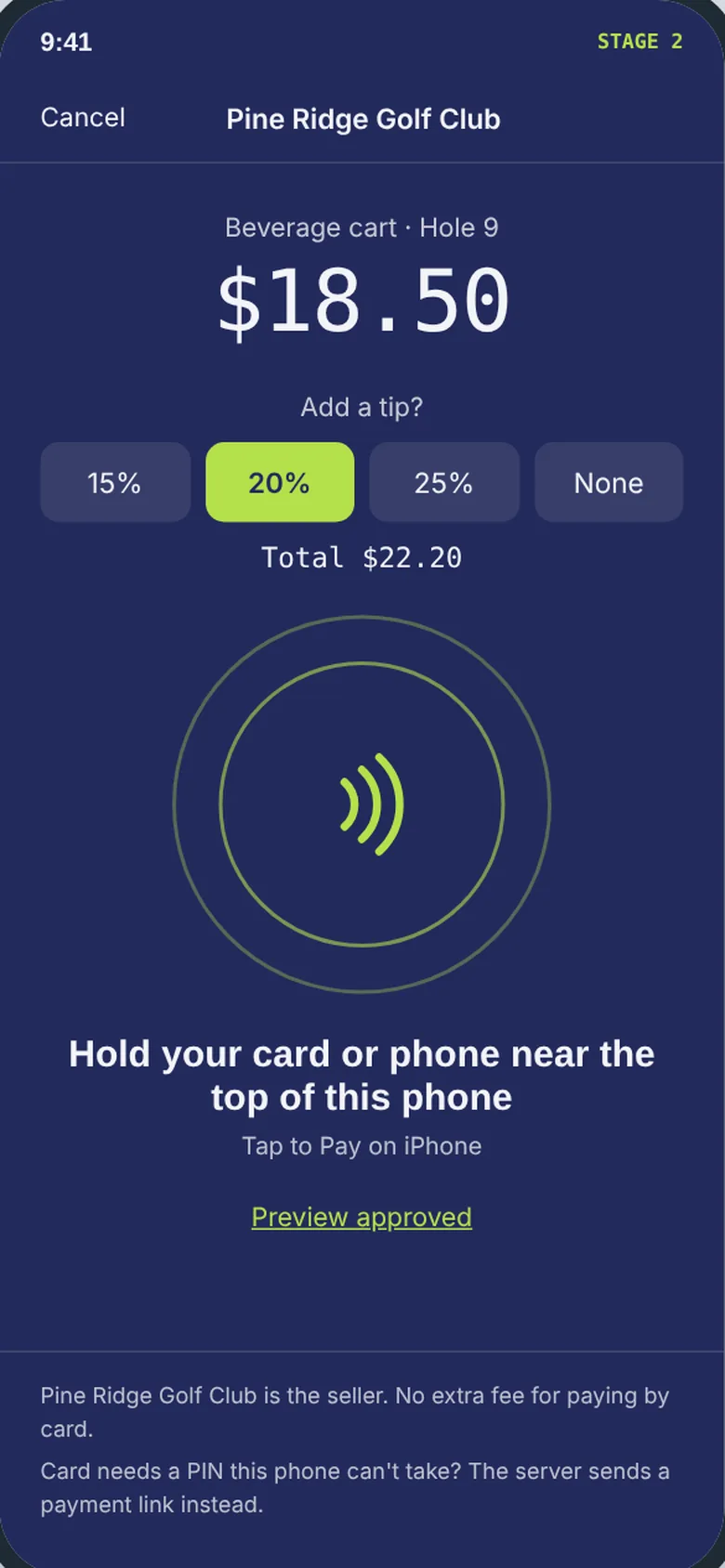
Take cards, Apple Pay and Google Pay on a staff iPhone or Android phone, with tips. No extra hardware.
Expanded pilotTerminals
Countertop and handheld terminals certified by the payment gateway. Pair one in your account, or let your provider set it up.
Full launchSovara Counter™
A POS app on off-the-shelf tablets and card readers: catalog, carts, orders, tips, receipts, staff and shifts.
After launchYour phone is the card reader.
Your staff sign in to the Sovara One™ app and take a tap from a card, Apple Pay or Google Pay. Tips, receipts and refunds work the same way as online.
- For counters, carts and events. No hardware to buy.
- Receipts name your business as the seller.
- Same account, same reports. In-person and online sales side by side.
Certified terminals, paired to your account.
Choose countertop or handheld terminals that the payment gateway certifies. Pair one to a location in your account. The terminal talks to the gateway, so card data never reaches your account or ours.
- Order through your payments provider. It sets any hardware price. We don't sell or lease hardware.
- Charged once. If a terminal goes quiet mid-sale, the sale stays "unknown" until we check what happened.
- No offline sales. If the connection drops, the sale waits.
Your provider can set it up
With your permission, your provider can pair terminals and set up Tap to Pay for you.
- You grant it. You choose what it can change.
- It ends on its own after the time you set.
- Every change is recorded, with who made it and when.
- You can turn it off at any time.
A full POS, on hardware you can buy anywhere.
After launch, Sovara Counter™ runs on off-the-shelf tablets and card readers that the payment gateway certifies. It uses your catalog, carts and orders, so your counter and your website sell from the same list.
- Catalog, carts and orders from your account.
- Tips, receipts, staff and shifts.
- Your provider's brand, when your provider has the brand upgrade.
Catalog
Carts and orders
Staff and shifts
Receipts and tips
Start with Tap to Pay. Grow from there.
Open your Sovara One™ account and ask your payments provider about terminals.