
Everything you need to get paid, and nothing that gets in the way.
One account for every payment at every location. You set it up, you change it, and you see every dollar.
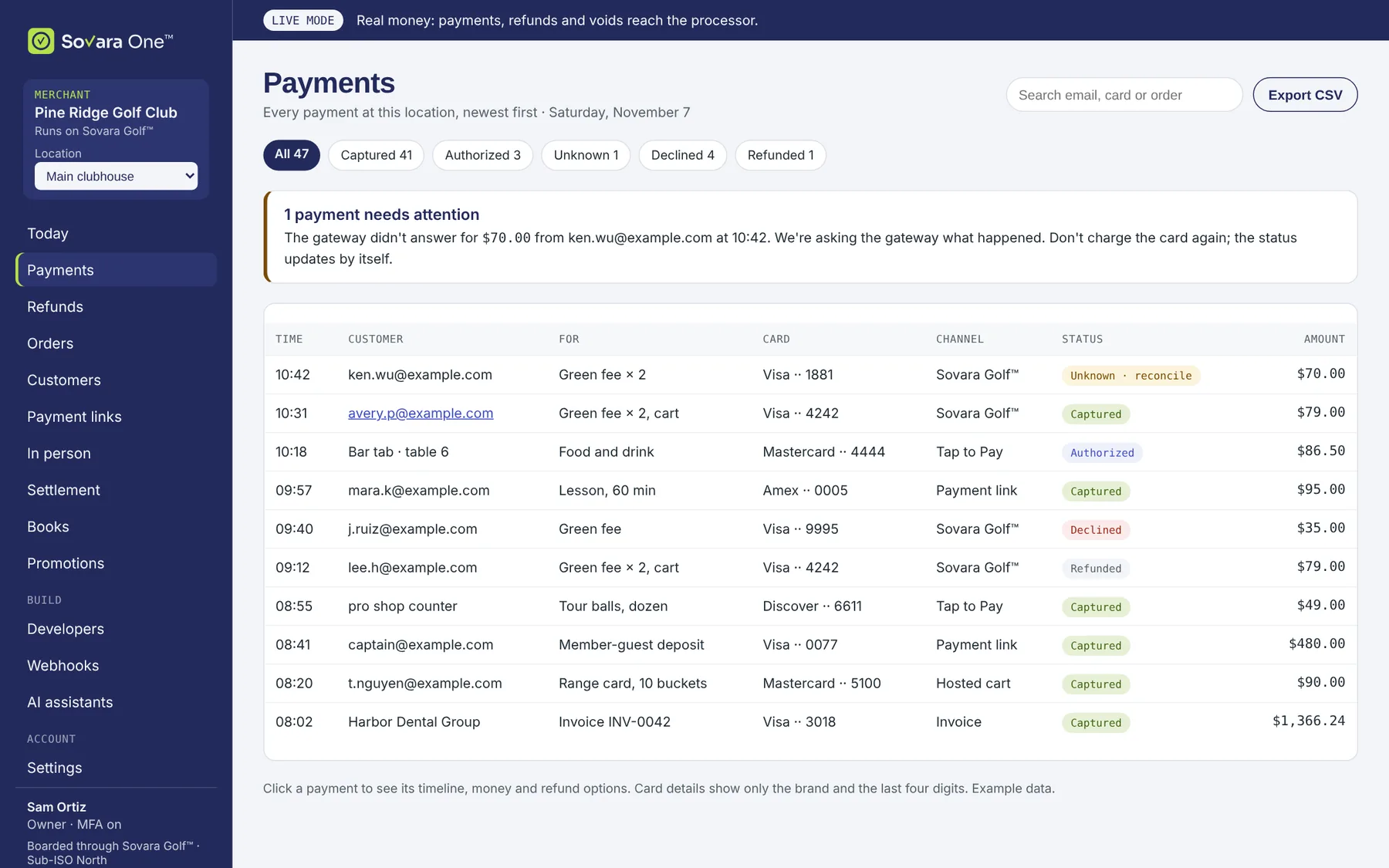
See every payment, and what it cost.
Search by email, card or order. Filter by status. Open any payment to see its timeline, its money and its refunds.
- Statuses in plain words: captured, authorized, declined, refunded.
- "Unknown" when the network went quiet. We check with the gateway before anything is sent again, so a customer is never charged twice.
- Export to CSV any list, any time.
Example data
Get paid
Payments
Take cards online, authorize now and capture later, with tips and partial approvals.
PilotCheckout page
Sovara Pay™ Checkout names you as the seller, works on any phone and accepts promotion codes.
PilotPayment links and QR codes
Create a link, set an expiry, send it by email or print the QR code. See when it is paid.
PilotDrop-in for your website
A payment form inside your own pages. You set the button color and corners.
Expanded pilotRefunds with undo
Every refund waits 10 seconds before it is sent. All or part, with a reason.
PilotDisputes
See each chargeback, its deadline and its evidence. Respond or accept from your account.
PilotSell
Customers
Payment history per customer, and cards saved only with the customer's consent.
PilotCatalog
Products, prices, variants, tax and shipping rates, and stock per location.
Expanded pilotCarts and orders
A cart priced from your catalog, orders with fulfillment, and refunds by line.
Expanded pilotCoupons and promotion codes
Codes that lower a price, with limits, dates and where they apply.
PilotSubscriptions
Plans and memberships that bill on schedule, with trials and consent on record.
Full launchInvoicing
Itemized invoices with deposits and balances, reminders and online payment.
Expanded pilotYour money and your team
Deposits to your bank
Daily batches from the processor to your own bank, expected then confirmed.
PilotReports
Payments, refunds, deposits and fees by day, location and card. Export any list to CSV.
PilotAccounting sync
Send sales, refunds and fees to QuickBooks Online or Xero. Fees stay estimates until confirmed.
Full launchTeam and roles
Owner, manager, staff and read-only roles. Two-step sign-in for everyone.
PilotSettings
Features on and off, refund limits, receipts, and the processing settings your provider allows.
PilotLocations
Each location gets its own merchant account and deposits, in one account.
PilotBuild and automate
Developer keys
Secret, publishable and restricted keys, each with only the scopes you choose.
PilotSigned webhooks
Events sent to the domains you allow, signed, retried and replayable.
PilotSDK and test mode
A TypeScript SDK, test keys and test cards. Test mode is not billed.
Expanded pilotAI assistant
An assistant looks things up and drafts actions. A person approves every money move.
Expanded pilotApprovals
Ask a second person to approve refunds above an amount you choose.
PilotBooks
A payments journal your accountant can use. Every correction is a new line.
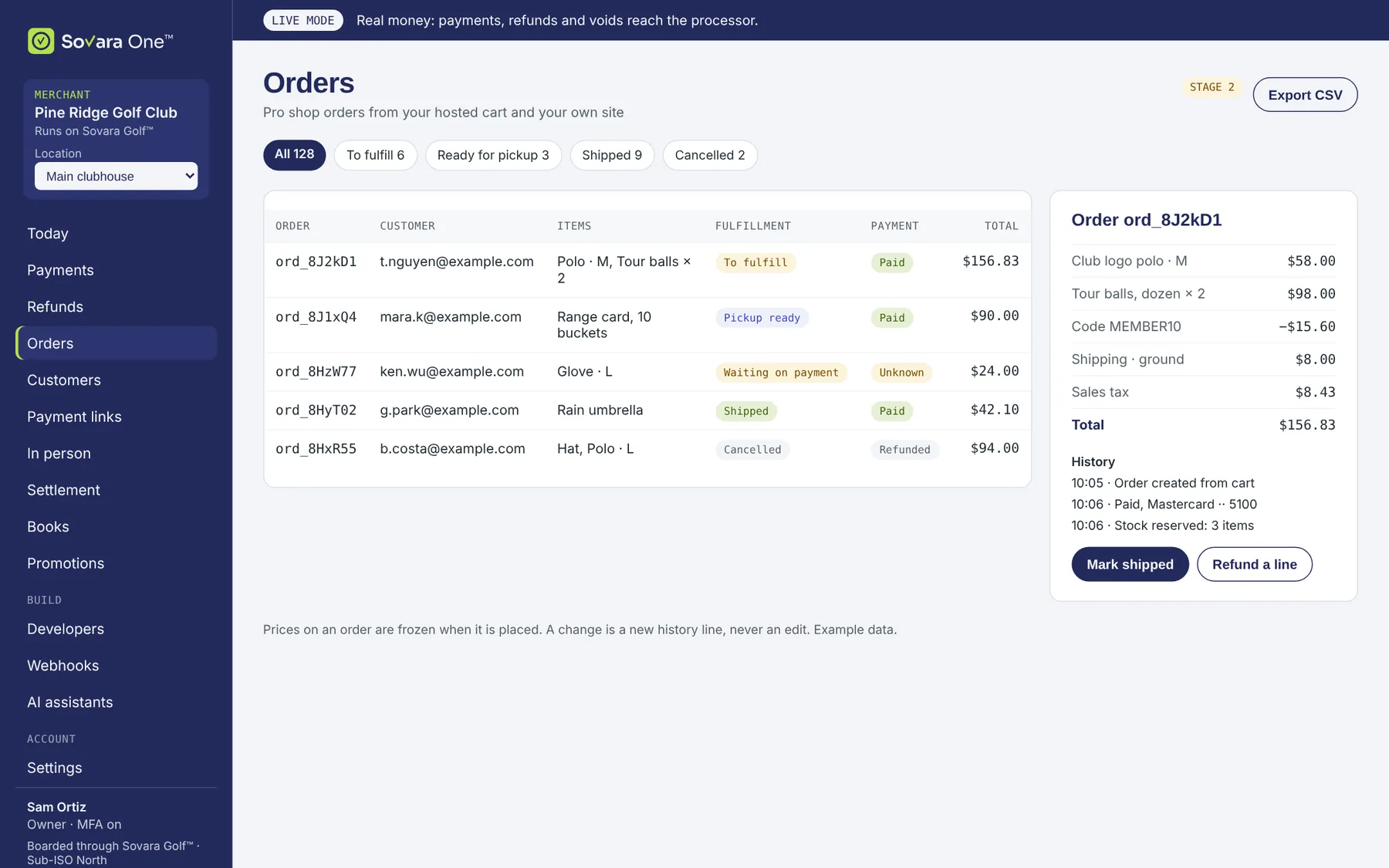
PilotSell from a catalog. Track every order.
Your hosted cart or your own site builds an order from your catalog. Prices are frozen when the order is placed. Changes become history lines, never edits.
- Fulfill, ship or mark ready for pickup.
- Refund a single line, and put it back in stock if you want.
- Coupons and promotion codes apply to the cart.
Example data
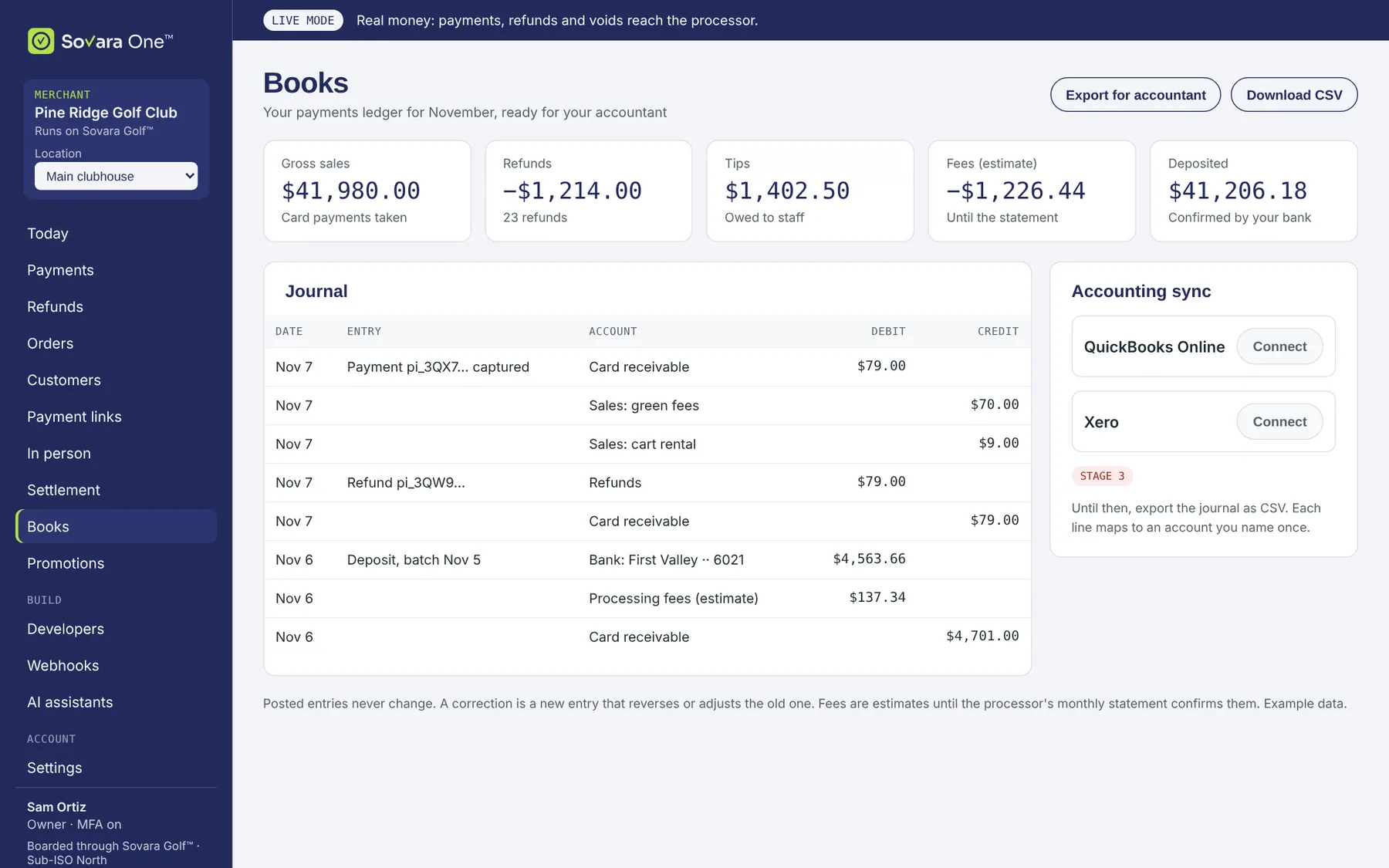
The numbers your accountant asks for.
Sales, refunds, tips, fees and deposits, in a journal that never edits a posted line. Export it, or send it to QuickBooks Online or Xero.
- Fees are estimates until your processor's statement confirms them.
- A correction is a new entry, so the history always adds up.
- Accounting sync arrives at full launch.
Example data
Let an assistant do the looking. You do the approving.
Connect an AI assistant with a restricted key. It can search payments and draft a refund or a payment link. Nothing that moves money happens until someone on your team approves it.
Expanded pilot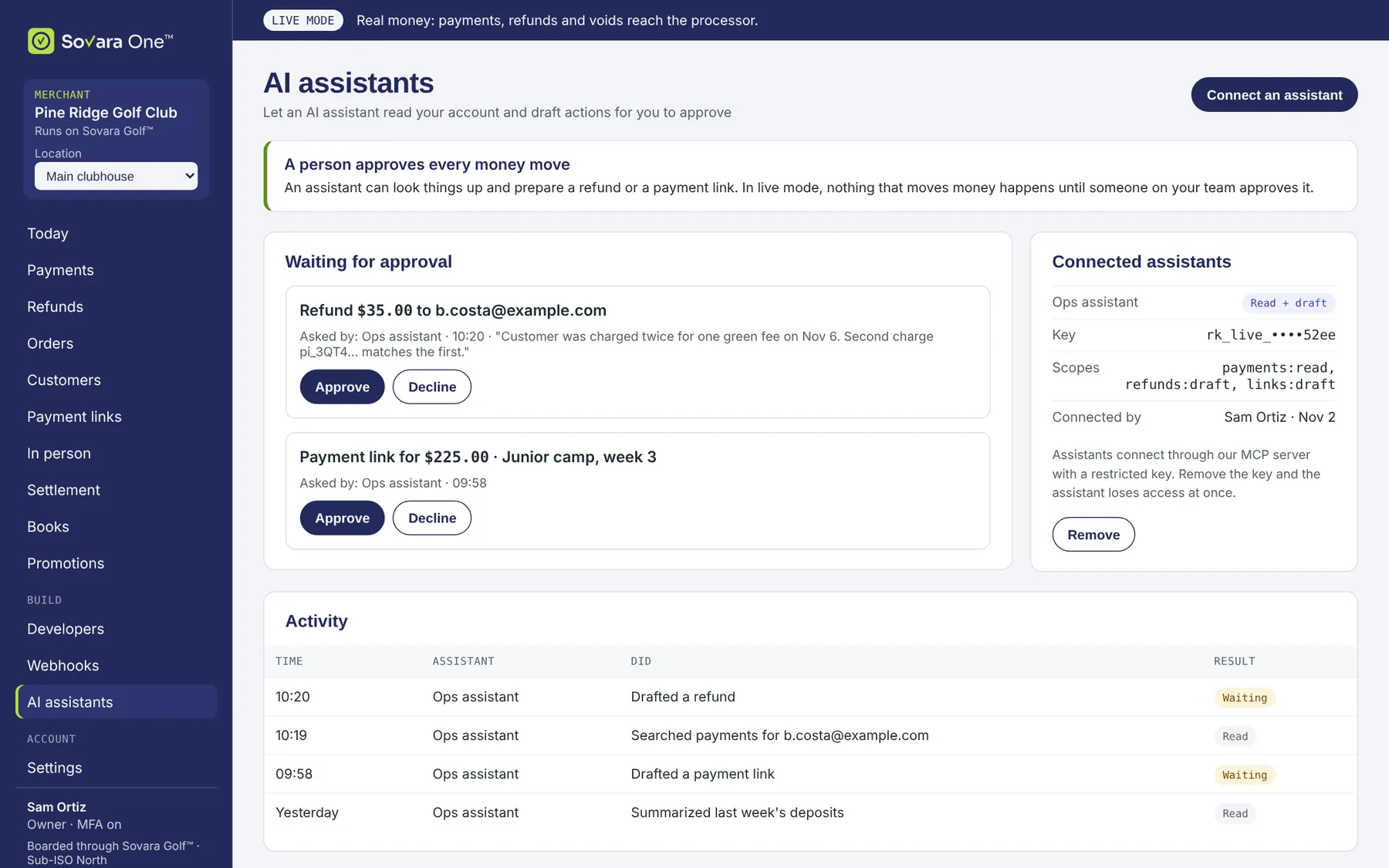
Example data
Run your own front end. Keep one account.
If your business runs its own website or app, your developers use your account's keys and webhooks. Amounts are whole cents. Every POST takes an Idempotency-Key, so a retry returns the first answer instead of charging again.
- Test keys route to the simulator. Same code, same responses, no real money.
- Test tokens for every outcome: approved, declined, timeouts, partial approvals.
- Card fields come from the gateway in a secure window. You get a token, the brand and the last four.
# Take a test payment: $79.00, charged once even if you retry
curl https://api.sovaraone.com/v1/payment_intents \
  -H "Authorization: Bearer sk_test_…" \
  -H "Idempotency-Key: order-SO-1001" \
  -d '{"amount":7900,"currency":"usd","confirm":true,
       "payment_method":"tok_test_approved"}'
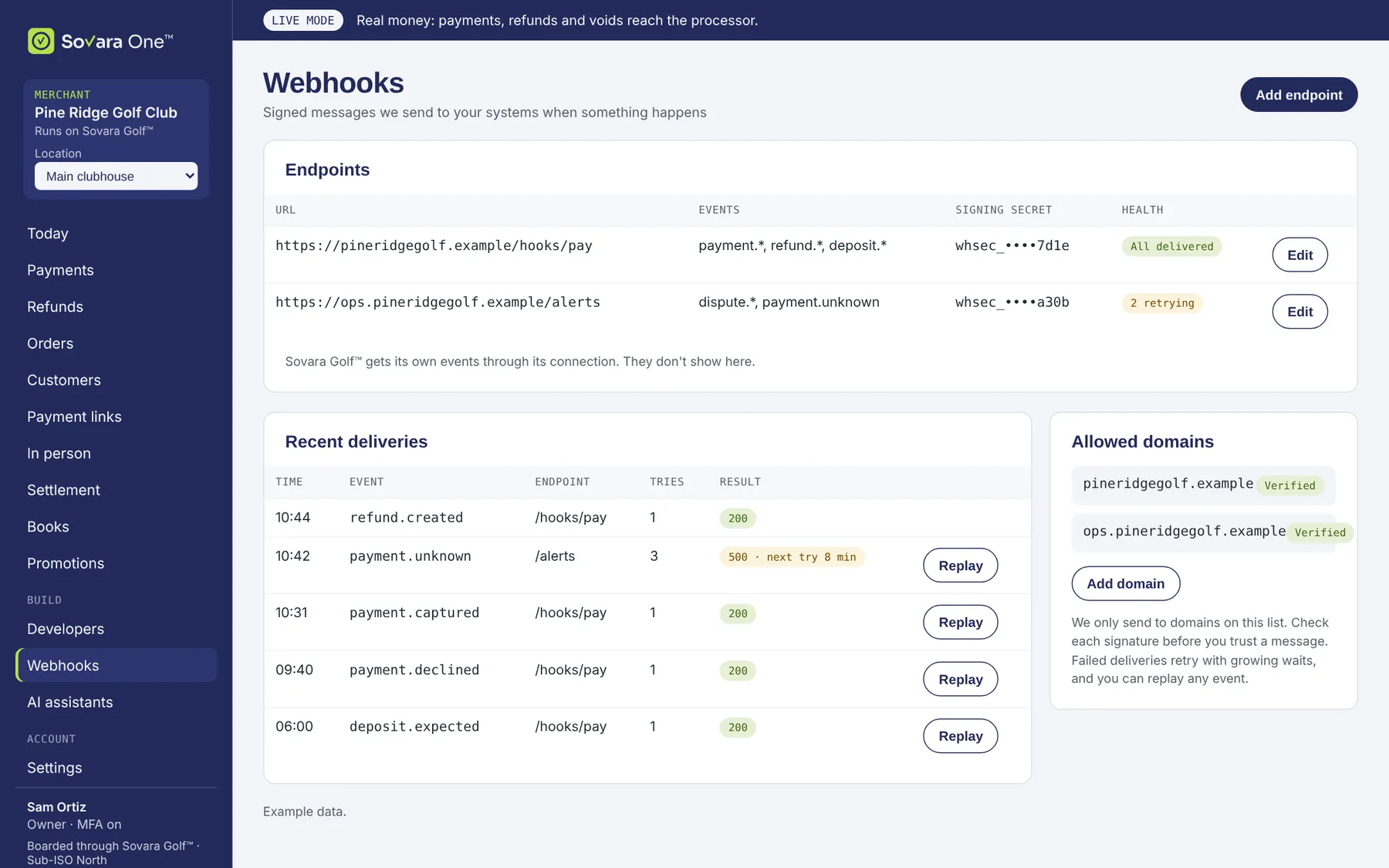
Signed events, to the domains you allow.
Every event is HMAC-signed, retried with growing waits and can be replayed from your account. You choose which domains may receive them.
- One versioned event catalog for payments, refunds, disputes, orders and deposits.
- See every delivery and replay a failed one.
- Connected platforms get their own events through their own connection. You can disconnect them at any time.
Example data
Ready when you are.
Open your Sovara One™ account, try it in test mode, and connect your processing when you're ready.